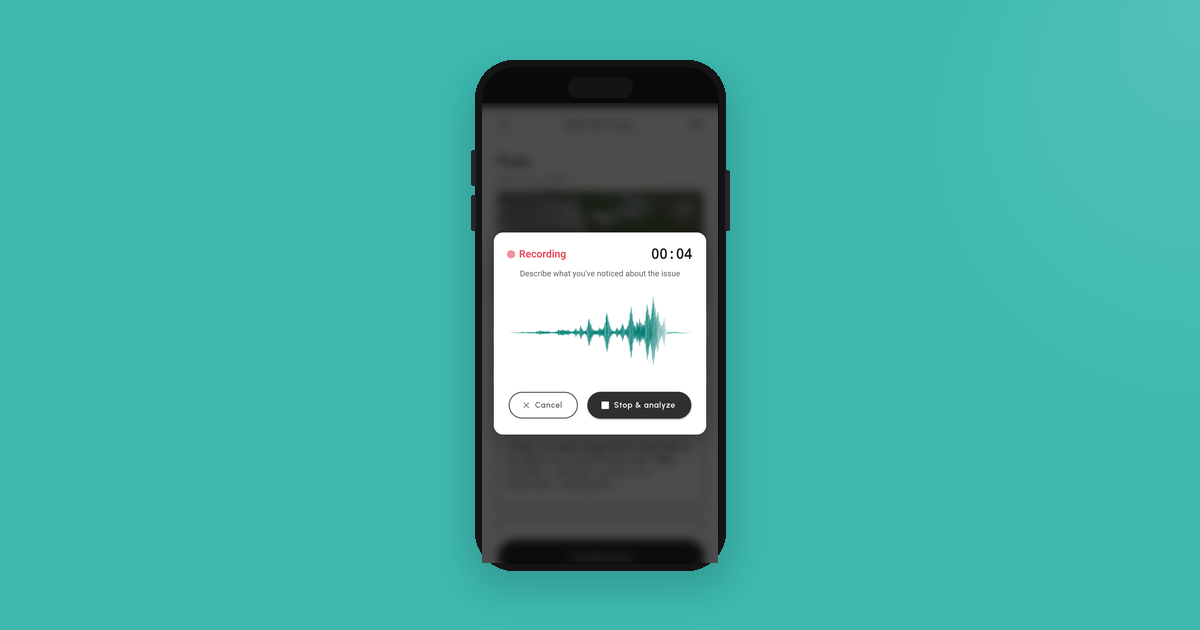
Typing on a phone while walking through a construction site is one of the least effective ways to log defects. Voice logging — speaking a description while your eyes stay on the building — is faster, more complete, and far less likely to miss something important.
That difference matters more than it might first seem. A practical completion inspection (PCI) or stage inspection is a time-limited exercise. You may have one or two hours on site. Every second spent staring at a phone keyboard is a second your eyes aren’t on the ceiling, the floor, or the wall in front of you.
The real problem with typing on site
Construction sites are not designed for typing. The lighting is often poor or extreme — direct sun can make a phone screen nearly invisible, while unlit rooms require you to use your phone’s torch, leaving one hand occupied. If it’s cold, you’re wearing gloves. If it’s hot, you’re sweating. If you’ve just climbed a ladder or ducked under a lintel, your hands are occupied with something more urgent than a keyboard.
Then there’s the gear problem. Most people walking a construction site are already carrying things — a copy of the plans, a printed checklist, a measuring tape. In one hand there might be a camera or a second phone. The site supervisor might be walking alongside you. Your independent inspector is pointing at things. Trying to write notes on a notepad while holding all of this is physically awkward. Trying to type on a phone while doing it is worse. Something has to go on the ground, get tucked under an arm, or just not get used — and usually it’s the notepad.
Voice removes the juggling. You take the photo, you speak the description, and Checka combines both into a single defect record — photo and description linked, timestamped, and structured. You never had to put anything down.
Beyond the physical constraints, there’s the cognitive load. You’re navigating an unfamiliar or partially-familiar space, mentally cataloguing what you’ve already logged and what still needs checking, possibly talking to the site supervisor or your independent inspector, and trying to cross-reference what you’re seeing against what you’d expect to see. Adding careful typing to that stack of tasks is genuinely costly.
The result is predictable: descriptions get abbreviated, locations get vague, and defects sometimes just don’t get logged at all because by the time you’ve finished typing the last one, you’ve already moved on and the moment has passed.
What gets missed when you’re looking at your phone
Defects don’t present themselves at eye level on well-lit surfaces. The ones that matter most are often at the margins of your attention — the top corner of a window reveal, the junction between the wall and the ceiling cornice, the seal at the base of a shower screen, the flashing overlap at a roof penetration.
These are things you catch in peripheral vision, or by instinct, or because something in the quality of a surface catches your eye as you scan across it. If your attention is on a phone keyboard, those peripheral catches don’t happen. Your focus narrows to the screen, and the rest of the environment drops out.
This isn’t speculation — it’s a well-documented feature of directed attention. When your working memory is occupied by a typing task, your visual processing of the environment around you degrades. On a building inspection, that’s a meaningful problem.
The cognitive load of a walkthrough
Before you even arrive on site, a stage inspection or PCI has structure. There are areas to cover — slab, frame, roof, external cladding, wet areas, internal linings, fixtures and fittings. Within each area, there’s a mental checklist: connections, fixings, gaps, alignment, finishes, seals, drainage. Your inspector (if you’ve engaged one independently) is working through this systematically. You’re trying to keep up, understand what they’re pointing at, and log everything that needs to be logged.
At the same time, your builder or their site supervisor is usually present. You’re managing a conversation, asking questions, and occasionally getting explanations for things you’ve raised. That’s a lot of parallel processing.
Adding “carefully compose a typed description for each defect” to that cognitive stack pushes most people into triage mode. You stop trying to capture everything and start filtering — deciding in real time what’s worth writing down. Some of that filtering is fine. But some of it is just cognitive overload masquerading as editorial judgment.
Voice logging offloads the description task to your speech centre, which runs on a different cognitive track than the typing task. Speaking a description while scanning a surface is far less disruptive than stopping, finding the text field, and hunting for keys.
How voice logging works in practice
The workflow is simple. You approach a defect, you open Checka, and you speak. You describe what you’re looking at — the location, the nature of the issue, any relevant measurements or observations — and you’re done. Your eyes never leave the problem. Your hands are free.
What you say might sound something like: “Gap in external cladding near the laundry window, approximately 8mm, running about 30 centimetres vertically. Cladding isn’t overlapping correctly with the window reveal.”
That’s a 10-second description. It contains everything a defect record needs: precise location, description of the issue, approximate dimensions. Checka’s AI takes that spoken description and structures it into a proper defect record — with location, description, category, and any relevant standard or installation guideline that applies.
You didn’t type anything. You didn’t stop walking. You didn’t divert your attention from the building.
Voice plus photo: the combination that works
Voice logging is most powerful when combined with photography. The workflow is: spot the defect, photograph it, speak the description. Both happen almost simultaneously, and together they produce a defect record that is genuinely useful — a photo that shows what you’re describing, and a description that explains what the photo shows.
This combination solves one of the persistent problems with photo-only records: a photo of a gap, a crack, or an alignment issue often isn’t self-explanatory in isolation. When you come back to it three weeks later, or share it with your builder, there’s ambiguity about what exactly was being flagged. A spoken description removes that ambiguity. The photo provides visual evidence. The voice note provides context.
The same logic applies in reverse: a written or spoken description without a photo is hard to dispute, but it’s also hard to verify. Photos without descriptions are ambiguous. Together, they make a complete record.
Speed: the arithmetic of voice versus typing
Consider a 50-defect walkthrough. Each typed note takes, conservatively, about 30 seconds once you account for finding the app, tapping the right field, composing the description, correcting autocorrect errors, and saving. That’s 25 minutes of typing across a two-hour inspection — more than 20 percent of your available time.
A voice note for the same defect takes roughly five to ten seconds: tap, speak, done. That’s four to five minutes for the same 50 items, freeing up 20 minutes of attention you can spend on the building instead of the keyboard.
On a long inspection, that difference compounds. You arrive at the end of the walkthrough less mentally fatigued, having spent less cognitive overhead on the logging task and more on the actual inspection. The records you’ve produced are more complete, more specific, and more consistent — because you weren’t cutting corners at item 38 to get through the last dozen before your access window closed.
When voice logging is especially useful
Certain parts of a build particularly favour voice logging over typing.
Roof inspections. You’re on a pitched surface or using a ladder, your balance is engaged, your hands may need to be free. Speaking a description is far safer than trying to type.
Crawl spaces and subfloor areas. Low clearance, awkward postures, often poor lighting. Voice logging lets you describe what you’re seeing without adding the physical difficulty of typing to an already uncomfortable situation.
Exterior perimeter walks. You’re moving continuously along the building line, scanning cladding, windows, flashings, and expansion joints. A continuous scan with voice notes suits the rhythm of the walk far better than stopping and typing at each defect.
Wet areas. Waterproofing is one of the most consequential categories of defect in a new build. Failures here can cause extensive damage before they’re even visible, which is part of why standards like AS 3740 exist. When you’re in a bathroom or laundry, crouching to look at floor-to-wall junctions and checking membrane upstands, voice logging keeps both hands free for the physical inspection.
Fitting voice notes into your PCI
A practical completion inspection is typically your last formal opportunity to identify and log defects before settlement or handover. What you capture in that inspection — and how completely you capture it — directly shapes what your builder has to rectify under the contract.
The PCI guide on this site covers how to approach the inspection systematically. Voice logging is the capture method that fits best with a structured walkthrough, because it lets you move through areas at a natural pace without the rhythm being interrupted by typing.
The combination of a good checklist, a clear methodology, and fast voice capture is what separates a thorough PCI from a walk-around that misses half of what needs to be found.
Key Takeaways
- Typing on a construction site costs attention — your eyes are on the keyboard instead of the building, and peripheral defects get missed
- Voice logging produces a complete defect description in five to ten seconds, compared to 30 or more for typing
- Spoken descriptions are processed into structured defect records automatically, including location, description, and relevant standard references
- Voice plus photo is the most complete documentation combination — the photo shows what you’re describing, the description explains what the photo shows
- High-access or physically demanding areas — roofs, crawl spaces, exterior perimeter walks — are where hands-free capture is most important
- On a 50-defect PCI, voice logging frees up 20+ minutes of inspection time compared to typing
Free to download
Stop losing track of defects.
Checka helps you capture issues, stay organised, and arrive at handover with a complete record of your build.